
القرآن الكريم والحديث
|
|
Quran Kareem and Hadith القرآن الكريم والحديث |
بسم الله الرحمن الرحيم - اللهم صل وسلم وبارك علي سيدنا ونبينا وحبيبنا محمد خاتم النبيين وصل على آل محمد وعلى آل إبراهيم إنك حميد مجيد
Al Quran Al Kareem and Hadith - القرآن والحديث is free full featured app that does not require internet to read Holy Quraan and hadith books.
Its free from any advertisement with selection of multiple Quran text script, fonts, audio, translations, scroll, search and multiple feature.
Please click here to update this app from store if it is not updated to new version that contains fixes, improvements and enhancements.
Below quick help - Notes and Screens.
List of Help Topics
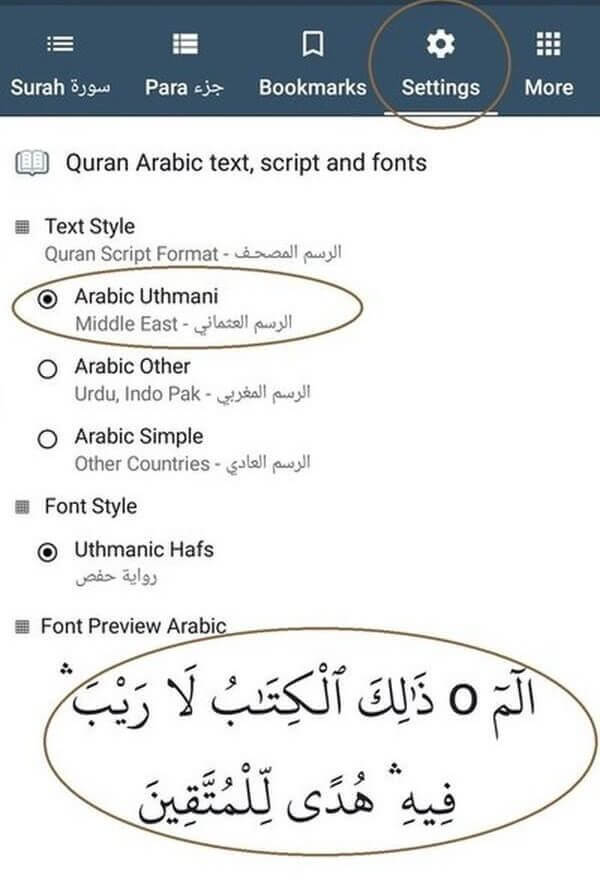
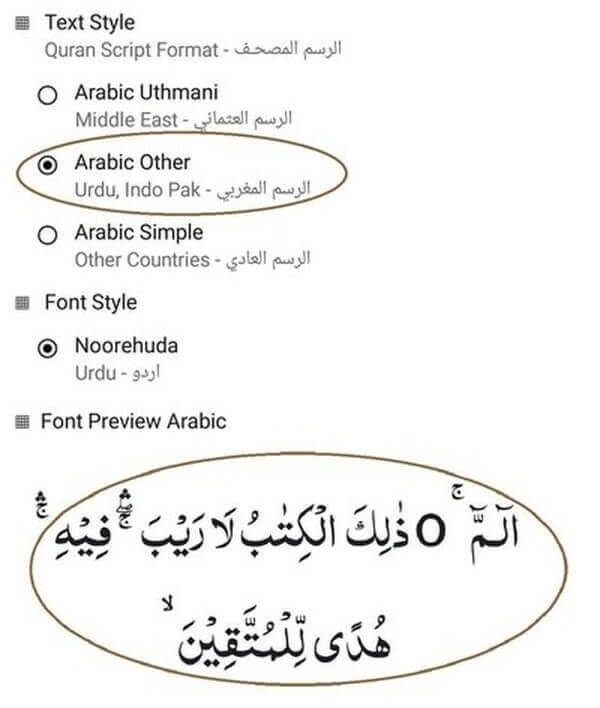
Text Script, Font
1) Please choose Quran reading text script and font in which you are more comfortable reading from Settings tab (Urdu or Uthmanic script style).
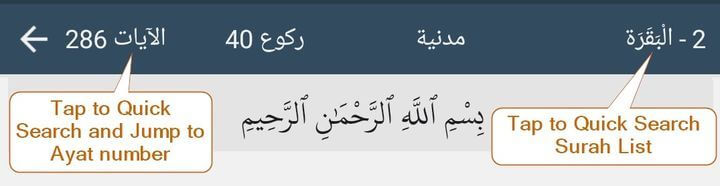
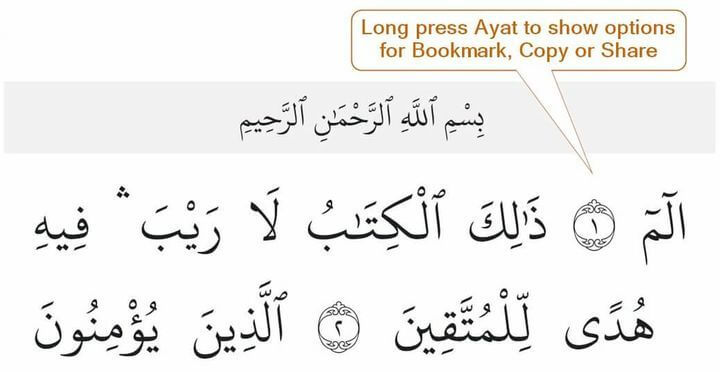
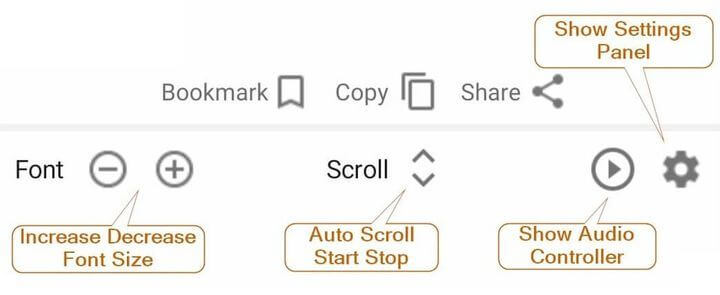
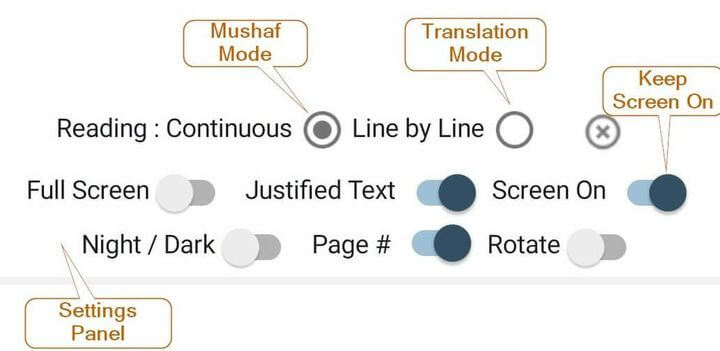
Reading Screen
Audio
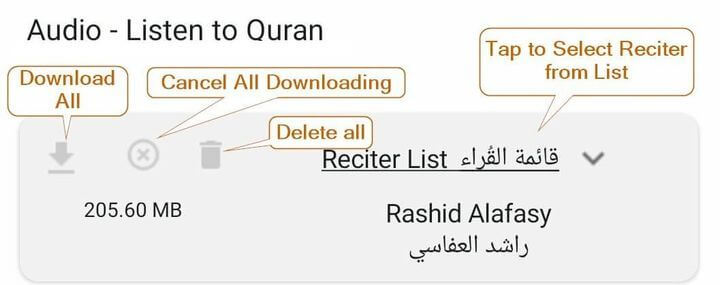
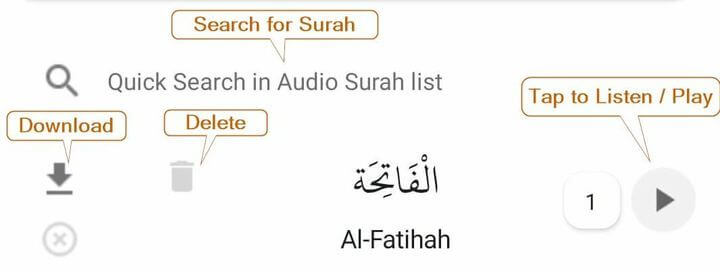
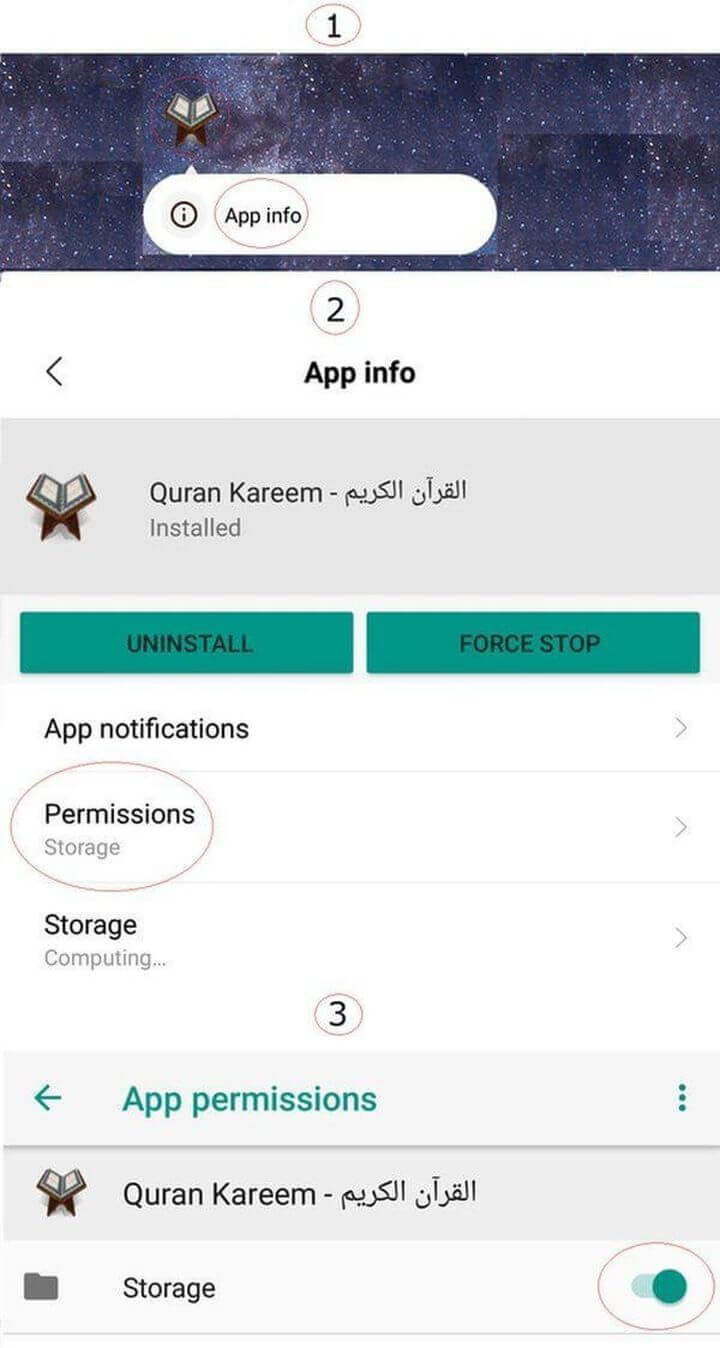
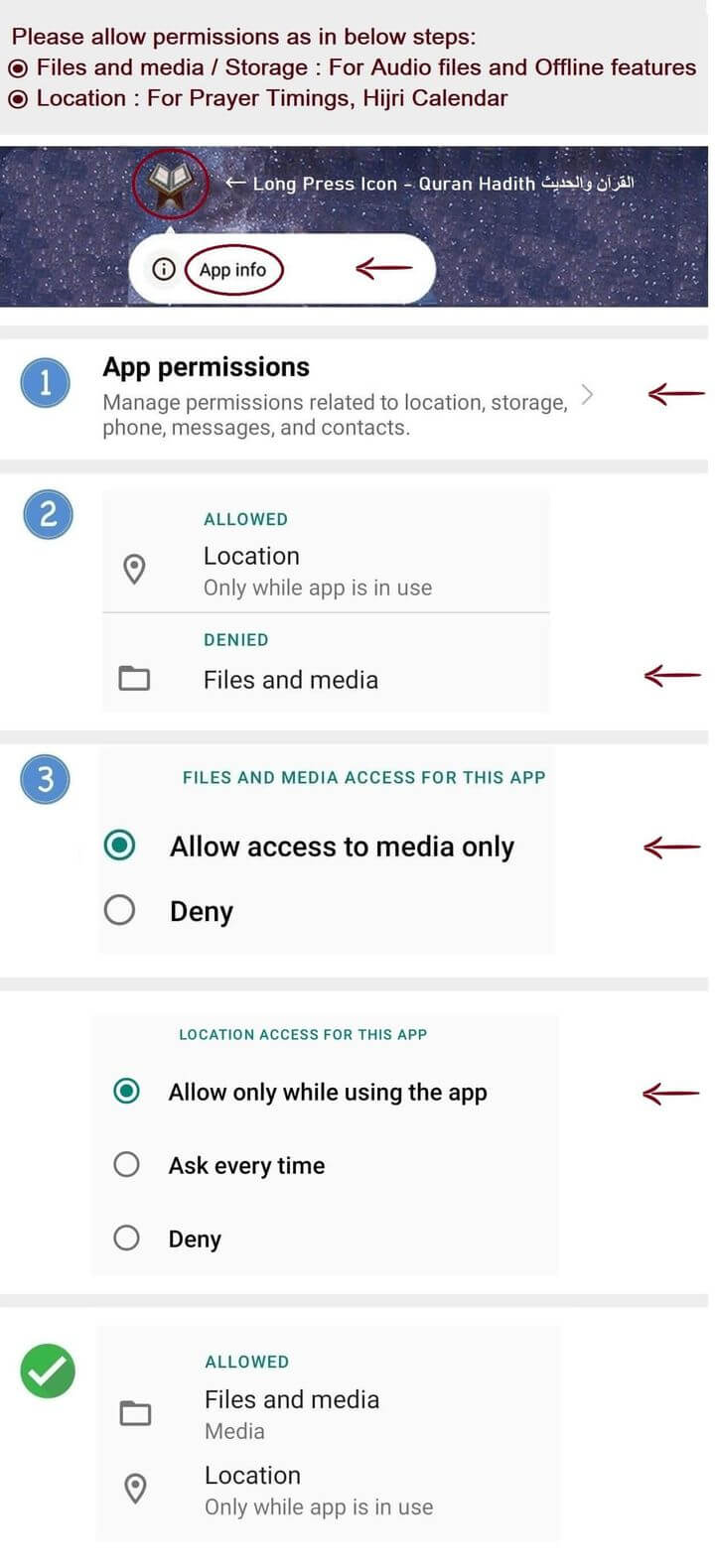
1) In case if listening to Quran audio doesn't work, please check for and allow Storage permission as it is required to store offline audio files.
(Please see below help image on how to set permission for storage)
2) First time internet connection required to store and download these files as offline for each reciter. Allow sometime to complete download these audio offline files.
This done to save internet data usage. (Please use or connect to Wifi in case if mobile data is limited)
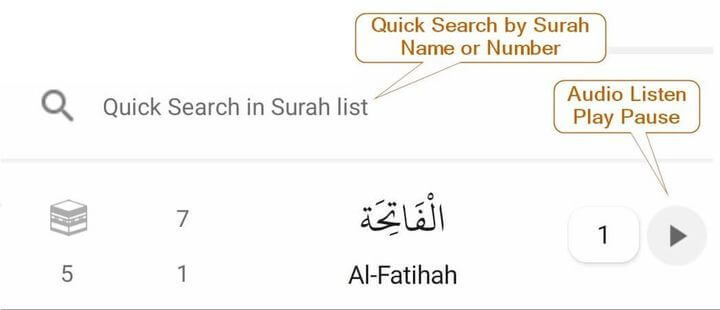
3) Auto play next Surah (continuous listening) or Repeat listening same surah can be enable (turned On) or disable (turned Off) either from Settings tab or with in Surah List screen by clicking third left image button in audio controller.
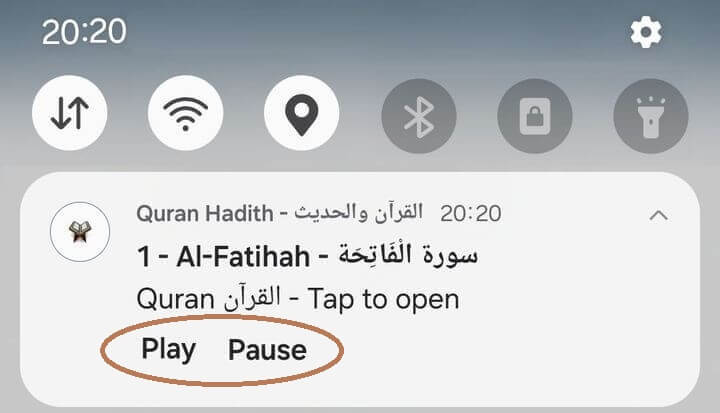
4) If audio file is listening or paused, notification is available in notification area. Clicking on that notification will bring application infront. This is helpful if application is minimized and user wants to pause audio that is being currently listening.
5) Audio can be resume from last paused or known listening position if paused after 5 seconds and if confirmation message is enabled in settings. If not paused or position unknown, it will always start from beginning regardless of Resume, Continue or Restart confirmation setting. Also audio will be continue from last paused position if offline file exists on storage.
6) If audio finishes significantly before its complete time or slider jumps or increases after 15 seconds unexpectedly or slider timing shows wrong information, consider enable or disable Audio timing fix option in settings.
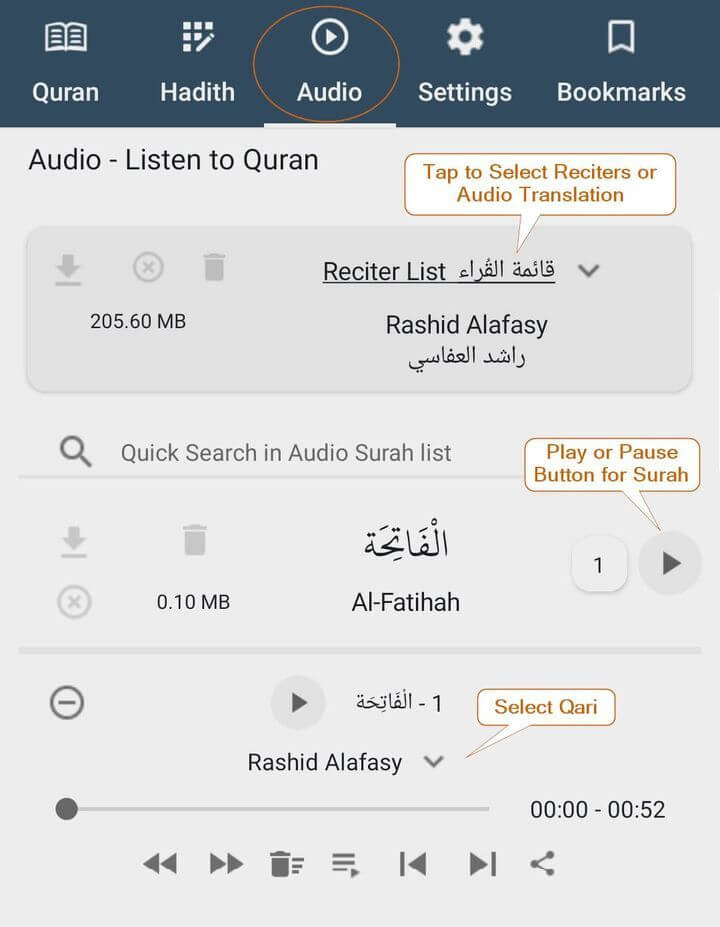
7) If any audio of selected reciter other than default reciter is not available, then it will listen in Rashid Alafasy voice. If available, then it will continue with selected reciter.
8) Listen to Ayat in Reading Screen is available in voice of Rashid Alafasy. While Listen to Surah is available in all reciters voice.
9) User can jump to Listening Ayat by clicking two times on Jump to Ayat button in Audio Player Contrller that available beside Listen to Ayat dropdown list.
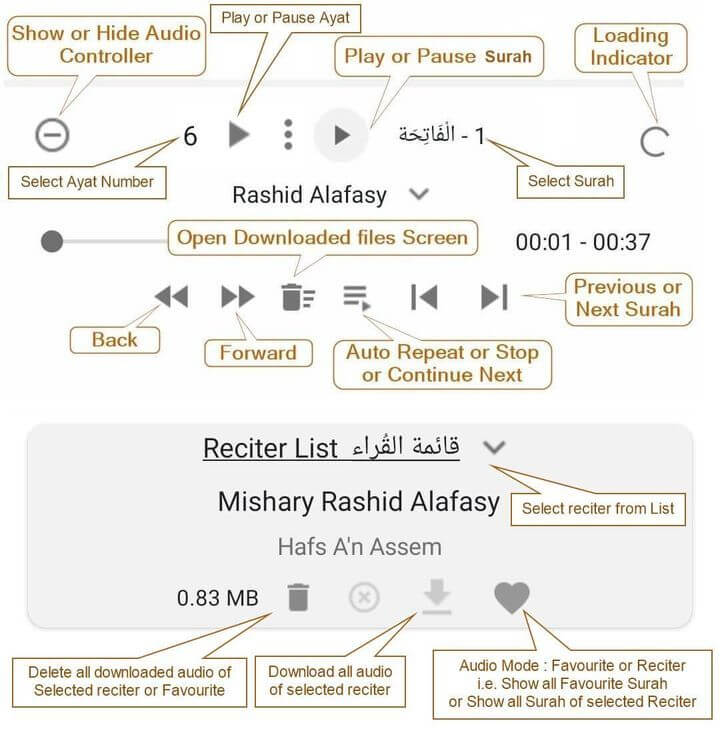
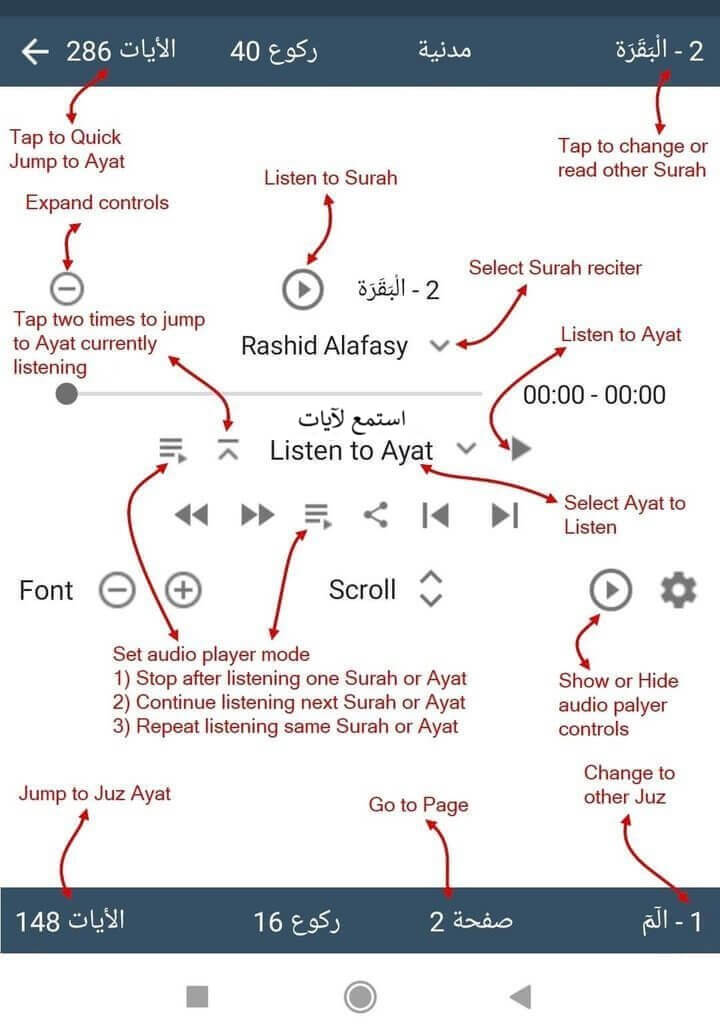
Translations
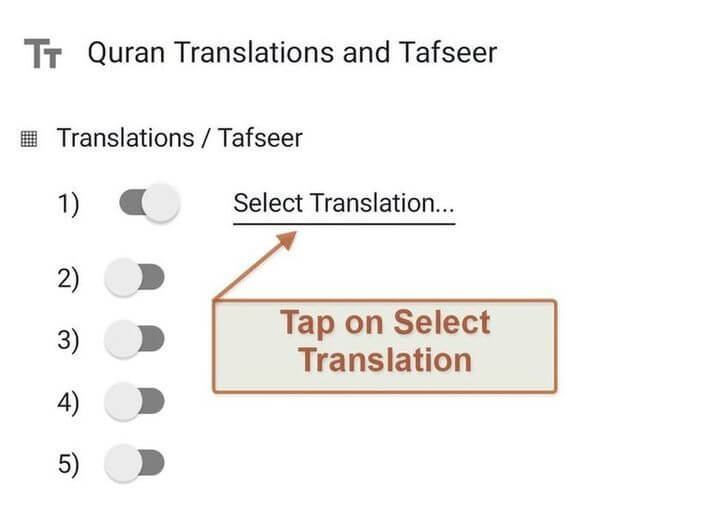
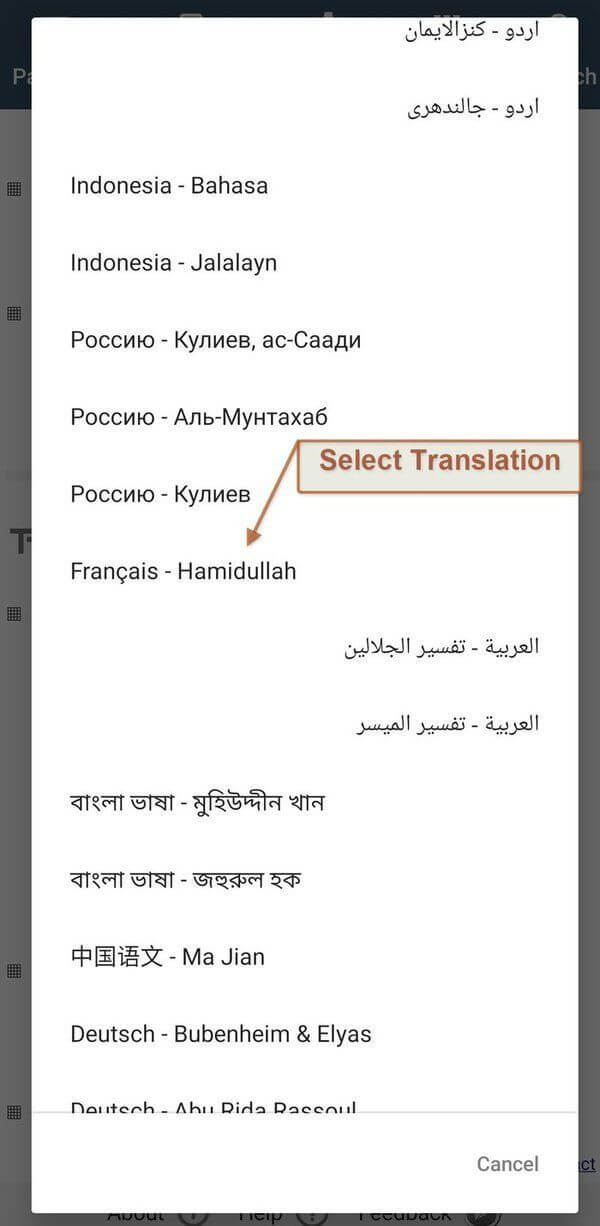
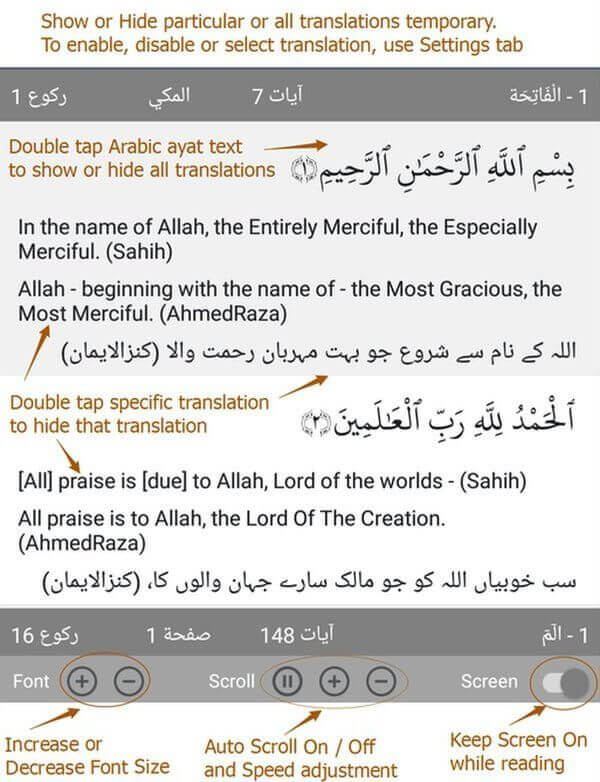
1) To change the font size of translation, please Go to settings screen tab and set font size using slider below translations selection.
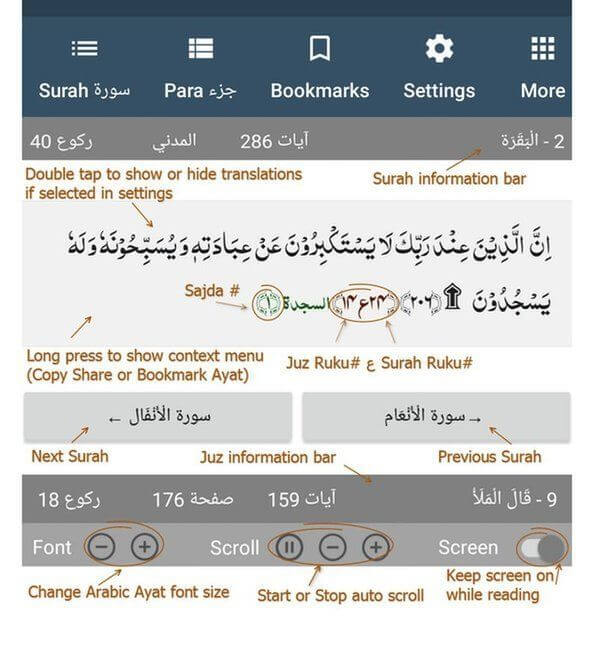
While on Quran reading ayat screen using + or - button, only font size of Arabic text will be change.
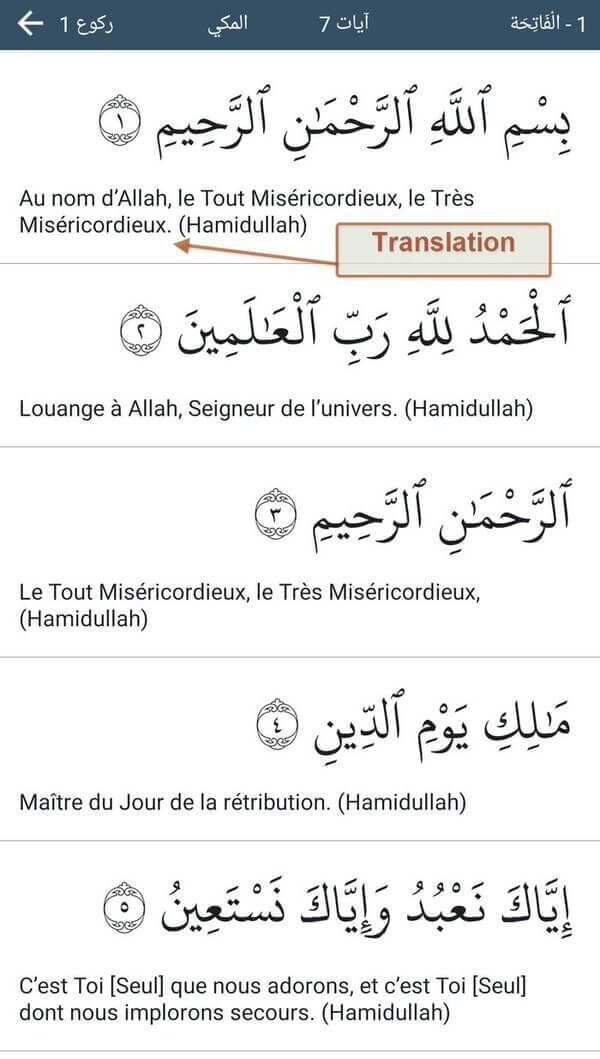
2) Double tap Arabic ayat text area to show or hide all translation (if translations are enabled and selected from settings tab).
3) Double tap on specific translation to hide it. To show again, double tap Arabic ayat text area.
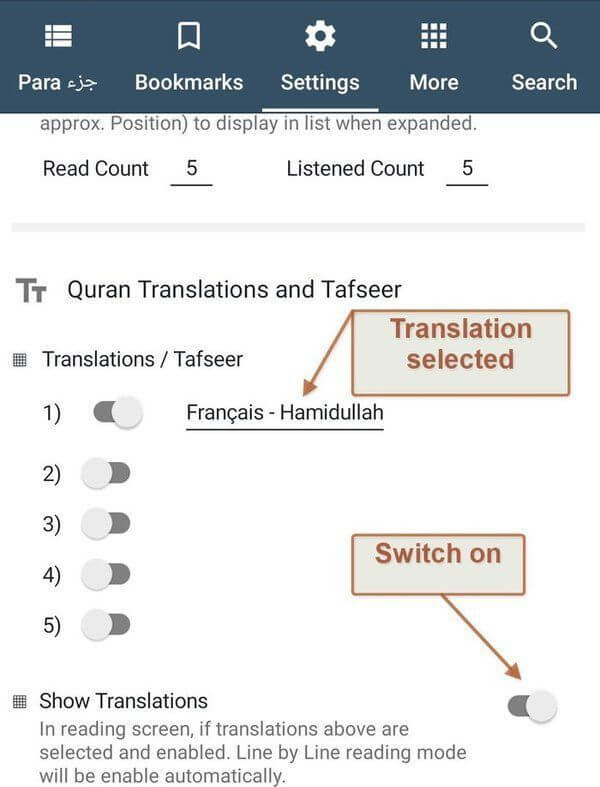
4) In settings tab screen, if translations are enabled and selected, but Show Translation is disabled, translation will not be visible in Ayat reading screen.
5) To show translations in Ayat reading screen, either enable Show Translation option in Settings tab screen or Double tap Arabic Ayat text area in Ayat reading screen.
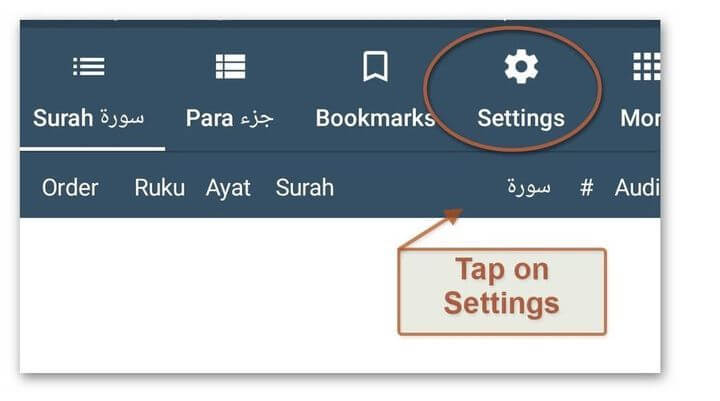
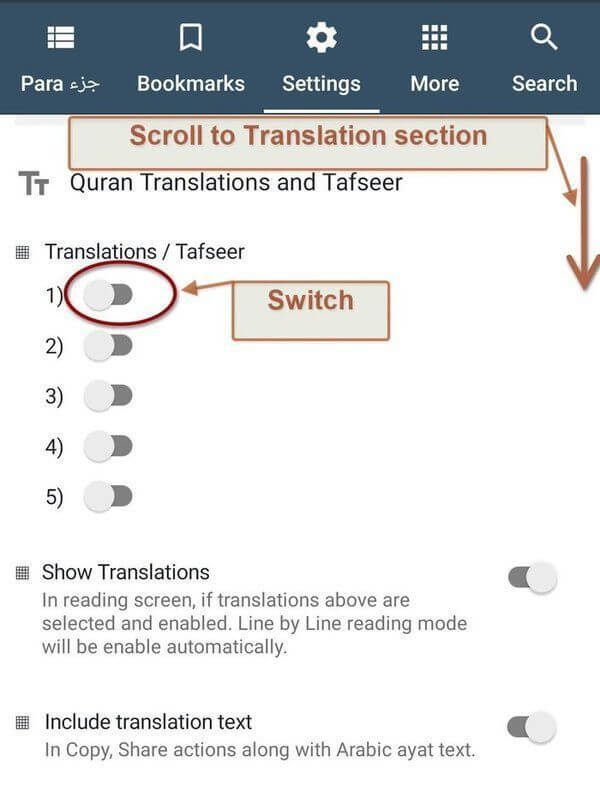
Bookmarks
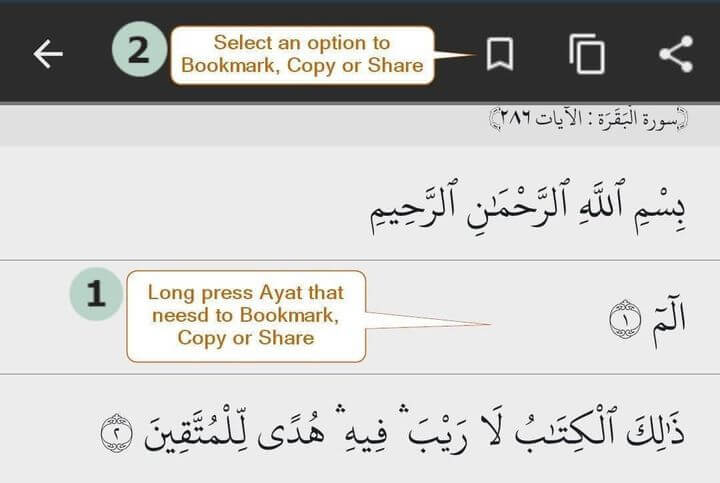
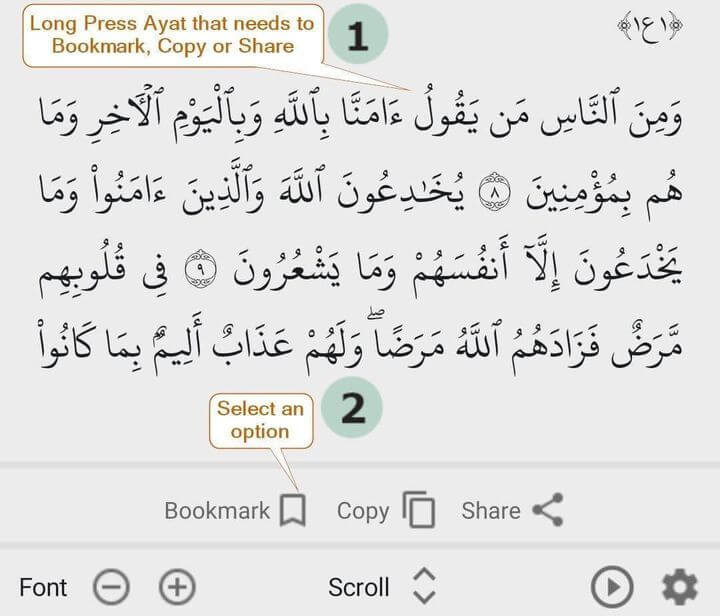
1) To save Ayat information for later continue reading, it can be bookmark.
2) After bookmark an Ayat, from bookmark screen, it can be edit to set Note or set in already exist Folder or set in New Folder.
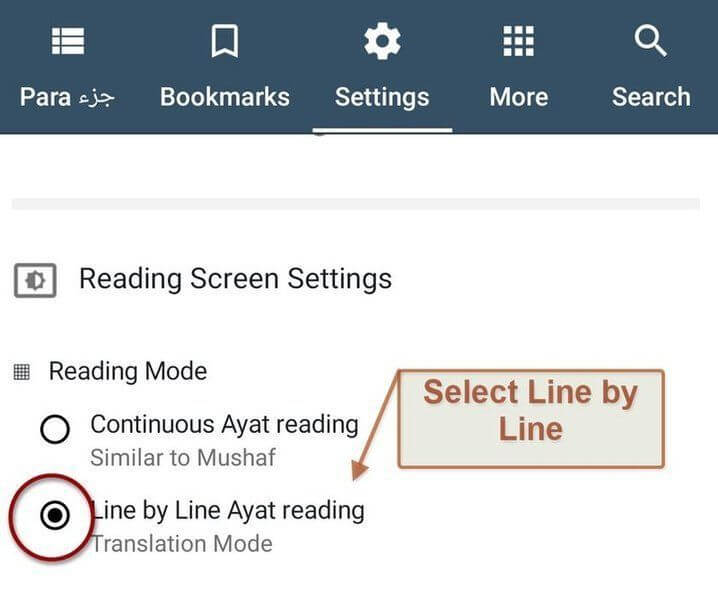
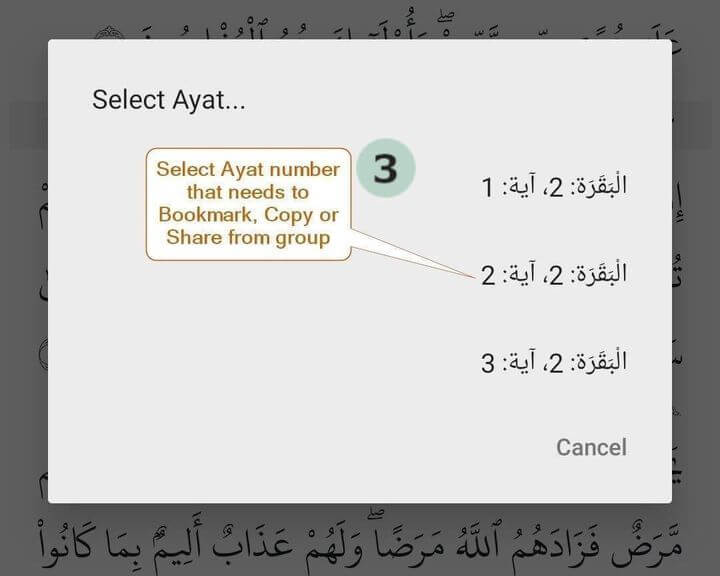
3) In Continuous reading mode, to save any Ayat, long press Ayat, new bar will appear at bottom screen above settings. On left side just beside Bookmark icon, Tap on Select Ayat text. List of Ayat in that section will appear. Please tap on Ayat number from list then tap on 1st Bookmark icon.
4) In Line by Line reading mode, to save any Ayat, long press Ayat, new dark gray bar will appear at top of screen. Just tap on bookmark icon. (no need to select Ayat from any list in this mode).
Hadith

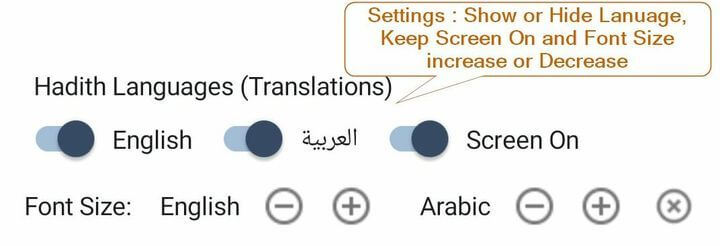
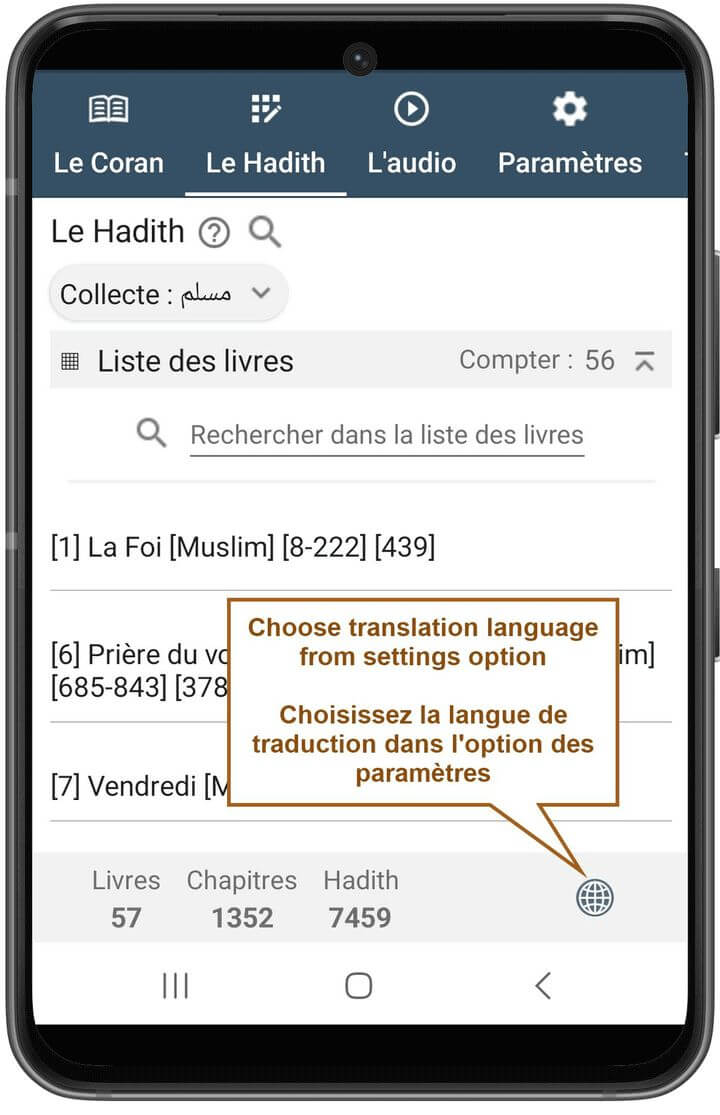
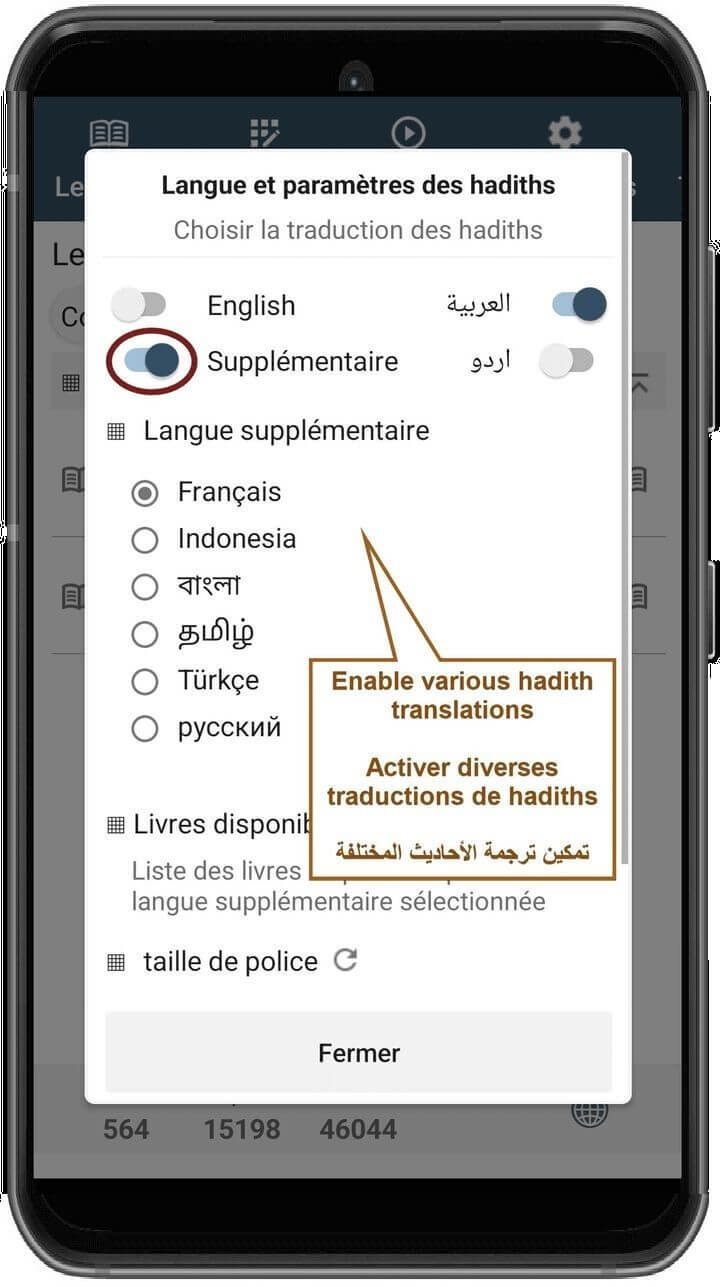
Search
1) Please select proper language or translation from 'Search in' selection radio list then enter text to search.
2) To search for Arabic text, and select Arabic from 'Search in' then enter search words as plain Arabic text.
General
3) Auto scroll will start and keep scrolling whenever it can scroll and scrolling is enabled. If Ayat are already at end of Surah or Juz or Screen, it will not be able to scroll.
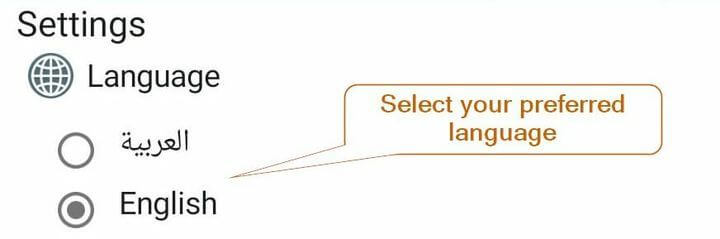
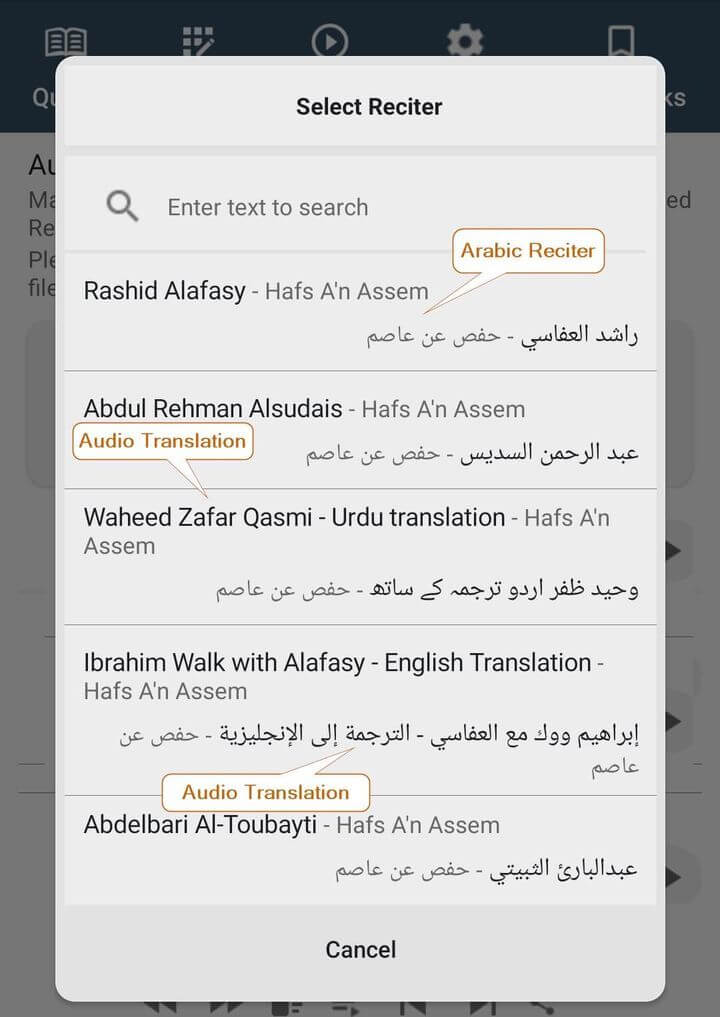
Audio Translation Selection
Permission Setting, Notification Bar
Steps for Android Type 1
* Please report any problem, mistake, bugs, concern or issue weather technical or non-technical at [email protected] although efforts made to make sure the correctness and verification of content related to Quran in this app.
* Also your feedback and response on Play Store will be appreciated.
Prayers requested.
Please don't forget to share this and spread the word of God
email: [email protected]
السلام عليكم ورحمة الله وبركاته
Asslamualaikum warahmatuLlahi wabarakatuhu